




How can I use remote patient monitoring?
Remote patient monitoring (RPM) uses devices to track your health at home, share information with your health care provider, and manage your care between visits.
What is remote patient monitoring?
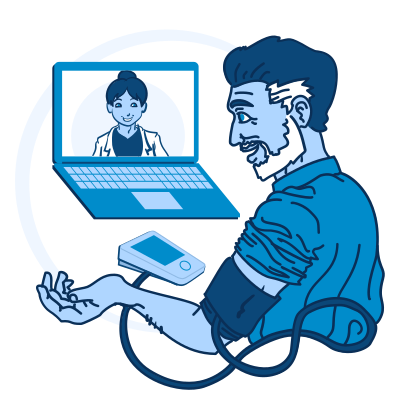
Remote patient monitoring or “RPM” for short is a type of telehealth that uses devices, including wearables, to track your health from home. Some devices send information to your provider automatically. Other devices may ask you to enter or send readings yourself. Your providers use this information to help you manage your condition and decide what care you may need.
Common RPM devices include:
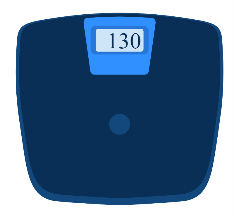
Smart scales to check your weight
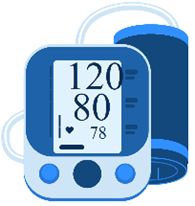
Blood pressure devices to monitor high blood pressure
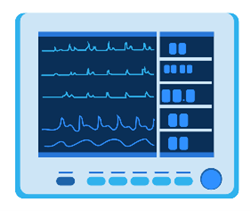
Heart rate monitors to check your heart
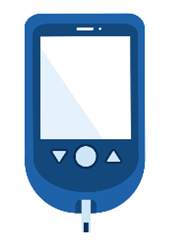
Blood sugar technology, such as a blood glucose meter or continuous glucose monitor (CGM)

Oxygen monitors, such as pulse oximeters, to check oxygen levels in your blood
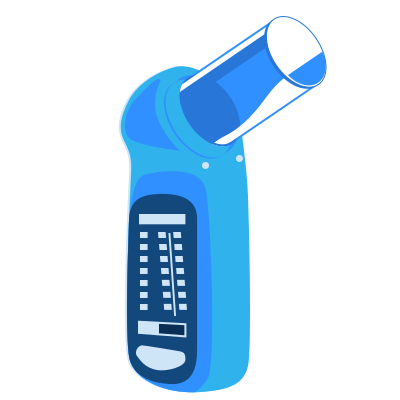
Breathing devices, such as spirometers to check how well your lungs are working
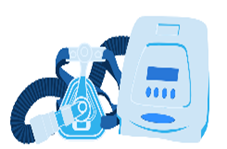
Sleep monitoring devices to track breathing and sleep patterns
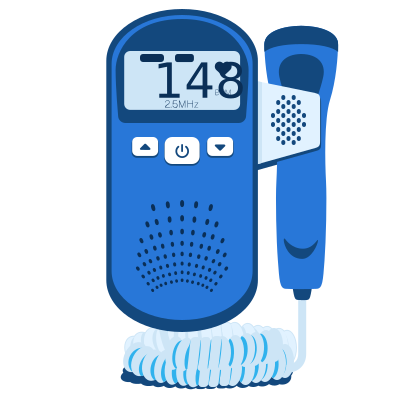
Fetal monitors to track your baby's health during pregnancy

Wearables, such as smartwatches or fitness trackers, which can continuously monitor your heart rate, activity levels, and sleep
RPM is especially helpful for managing chronic conditions. It is often used for high blood pressure, diabetes, heart disease, lung conditions, sleep problems, and care during and after pregnancy. It may also support cancer care, nutrition care, recovery after surgery, and other health needs.
By tracking your health numbers over time, such as blood pressure, heart rate, weight, oxygen level, or blood sugar, the data offers a bigger picture of your overall health. If something looks off, your provider or care team may contact you, ask you to take another reading, schedule a visit, or change your care plan.
Did you know?
Some RPM devices can be set up to send your health data automatically to your health care provider without you having to take any action.
How does remote patient monitoring work?
It is important to understand how to use the RPM device and related equipment you’ve been given. Here are a few tips:
- Set up. Before starting RPM, have a visit with your provider or care team. This visit may be in-person or by telehealth. Ask them to walk you through how to use the device, how often to use it, what numbers to expect, and what to do if a reading seems too high or too low.
- Ask about costs. Before you start, ask your provider or health plan what the device, supplies, or monitoring may cost.
- Use the device as directed. Your provider may ask you to take readings daily, several times a week, or at specific times. Use the device the way your provider tells you to use it.
- Data entry. Depending on the device, you may need to manually enter some information. This could include reporting symptoms, diet, medicine use, activity, and lifestyle changes.
- Share your data. Some devices send readings automatically. Other devices may ask you to type numbers into a patient portal or app. Ask your care team how your readings should be entered.
- Communicate. Stay in touch with your provider about your RPM data and how you are feeling. You can call your provider’s office, send a message through a patient portal, or request a telehealth appointment.
- Notifications. Your device may send alerts instructing you to contact your provider. This can occur if your readings fall outside a certain range for the condition that is being monitored. Ask your provider what each alert means and who to contact, including after office hours.
- Adjustments. Based on the data collected via RPM, your provider may adjust your medications or treatments.
- Ongoing use. You may continue to use your RPM device regularly for several months or longer. This should always be done under your provider's supervision. Make sure you have written instructions for your RPM device that you can refer to. This includes contact information for professionals who can answer questions if you encounter issues.
- Get help with technology. If your device, app, internet, or patient portal is not working, contact your provider’s office. They may have a staff member who can help you.
Tip: Schedule a follow-up telehealth appointment with your provider after you’ve been using the RPM device for several days. This visit will help ensure that your data is being transmitted correctly. You can also ask questions and troubleshoot issues.
RPM devices are not emergency tools. If you think you are having a medical emergency, call 911 or get emergency medical help right away.
Did you know?
Family members and caregivers can play an important role in helping you use RPM. They can encourage regular use by gently reminding you to use RPM devices as required, including wearing them on your wrist or finger. They can also assist with technology by helping you put on the device, charge batteries, troubleshoot, and access or set up an account. Only share your health information or account access with people you trust. Ask your provider if you have questions about privacy.
What are the benefits of remote patient monitoring?
RPM gives you a more connected, convenient way to manage your health between visits. Here are some benefits:
- Track your health from home. RPM lets you monitor important health data, like your blood pressure, blood sugar, weight, or oxygen levels. You can do this from the convenience of your home and watch for changes between health care visits.
- Share a fuller picture of your health. Instead of only seeing a snapshot of your health during an office visit, you and your provider can receive readings over days, weeks, or months. This collection of health data can help catch small changes before they become bigger problems. It can also help you see how food, activity, sleep, medicine, and your habits affect your health.
- Make care decisions sooner. Because your provider sees your data between visits, they may update your medications or treatment as needed. This can be valuable for conditions like diabetes, high blood pressure, and heart disease.
- Reduce travel and stress. RPM cuts down on how often you need to go into a clinic, which saves time and energy. This can be especially helpful if you are managing a chronic condition, recovering after a procedure, receiving cancer treatment, living in a rural community, or having trouble getting to in-person visits.
RPM supports care for certain conditions:
- For diabetes, RPM devices, such as a blood glucose meter or continuous glucose monitor (CGM), can make it easier to manage blood sugar. Ask your health plan if it covers the device or supplies.
- For people with cancer, devices like a scale or a physical activity tracker can be used from home to share information like diet, weight, and blood pressure with a health care provider.
- For nutrition care, RPM devices, including wearables, can track weight, blood sugar, or activity levels to help you see how your eating habits affect your health over time.
- During and after a pregnancy, an RPM blood pressure monitor can regularly check you for high blood pressure, which can be a sign of preeclampsia. A fetal heart rate monitor can check on your baby's heartbeat.
- For heart or lung conditions, your provider may recommend a heart monitor, blood pressure device, oxygen monitor, or breathing device.
More information:
Can I use telehealth if I live in a rural community? — Health Resources and Services Administration
How can I use telehealth during and after pregnancy? — Health Resources and Services Administration
How can I use telehealth for cancer care? — Health Resources and Services Administration
How can I use telehealth for diabetes care? — Health Resources and Services Administration
How can I use telehealth to improve my eating habits and nutrition? — Health Resources and Services Administration
How can I use telehealth to manage chronic conditions? — Health Resources and Services Administration
What are different types of telehealth? — Health Resources and Services Administration
What should I know before my telehealth visit? — Health Resources and Services Administration